← Home

Nexus Transcripts for YouTube

macOS App (Windows Coming Soon)

Get transcripts and subtitles.
Download in text, CSV or SRT.

Do you want to get the text transcript of a video rather than watch the whole thing? Download the complete transcript of any YouTube video instantly to save time and improve comprehension. At less than 5MB in size, it's a lightweight, blazing fast utility.

macOS Build (.dmg)
Windows Build (Coming Soon)
Offline-First • 100% Secure & Private • Under 5MB

Interactive Cost Calculator

Drag the slider to adjust video length and see credit requirements.

Video Duration: 45 mins
1 min 30m (Free Limit) 60m 90m 120m 180m
Estimated Cost $0.10 (10 credits)
Videos Transcribed 10 videos with 100 free credits
🛡️

Fair Pricing Policy: No transcript, no charge. If a video has no transcript, or if the download fails, you will never be charged. Credits are only deducted on a successful download.

Credit Refill Packages

Starter Refill 1,000 Credits (standard rate)
$10
Power RefillBest Value 23,000 Credits (3,000 Bonus Credits!)
$200
01 / Provide URL

Fast & Private by Default

Simply paste the YouTube video link into the application input. Your queries are processed directly on your system, keeping your watch history completely private.
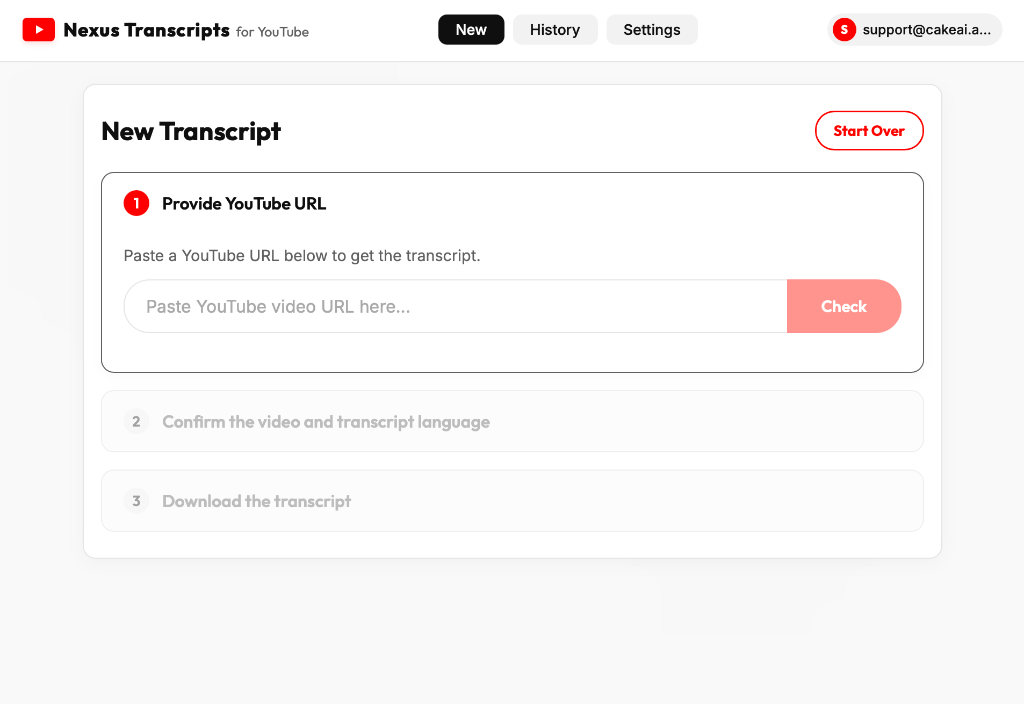
Provide YouTube URL
02 / Confirm Details

Verify Duration & Languages

Confirm the video duration, verify the language, and see the exact credit requirements before extraction. Every new account initializes with 100 free credits ($1.00 starting balance) to instantly transcribe up to 20 short videos.
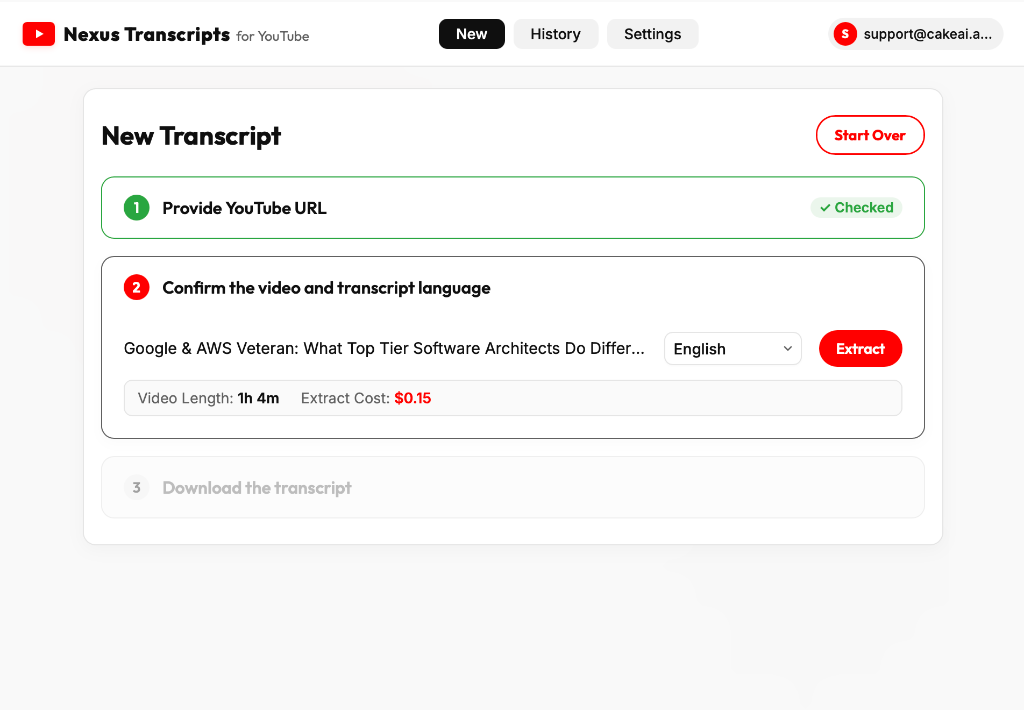
Confirm video details
03 / Multi-Format Download

SRT, VTT, CSV, and Plain Text

Preview the resolved transcript and download it in your choice of formats: Plain Text, Timestamps, CSV, SRT, or WebVTT. Use CSV files to quickly search through the transcript by exact timestamps.
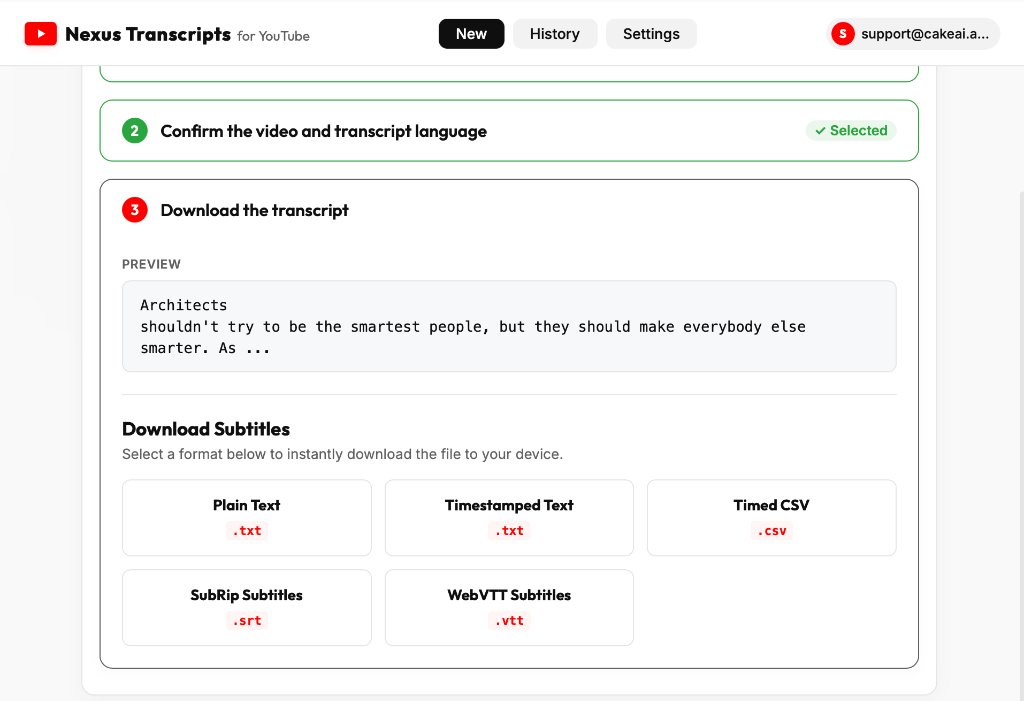
Download transcript
04 / Process History

Detailed Download Logs

Keep track of your transcription history. View your remaining credit balance, total credits spent, and look up details of previously processed videos inside your personal logs dashboard.
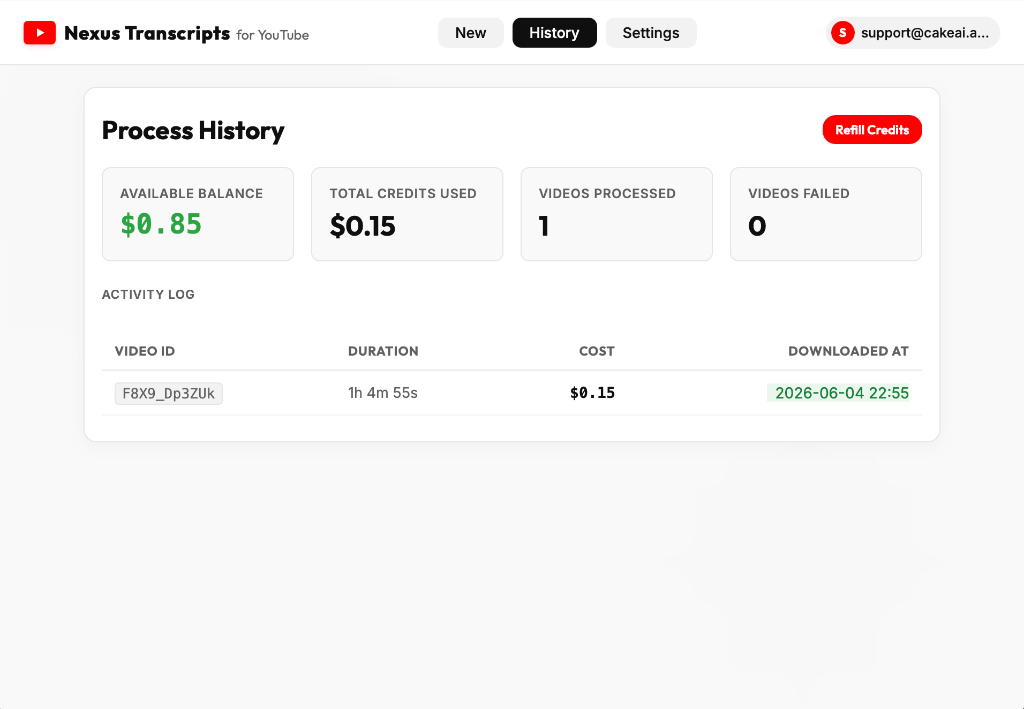
Process History Log
05 / Settings

Manage Account & Support

Review your logged-in session, check the app's current release version, sign out securely, or contact support directly if you ever need assistance with credits or downloads.
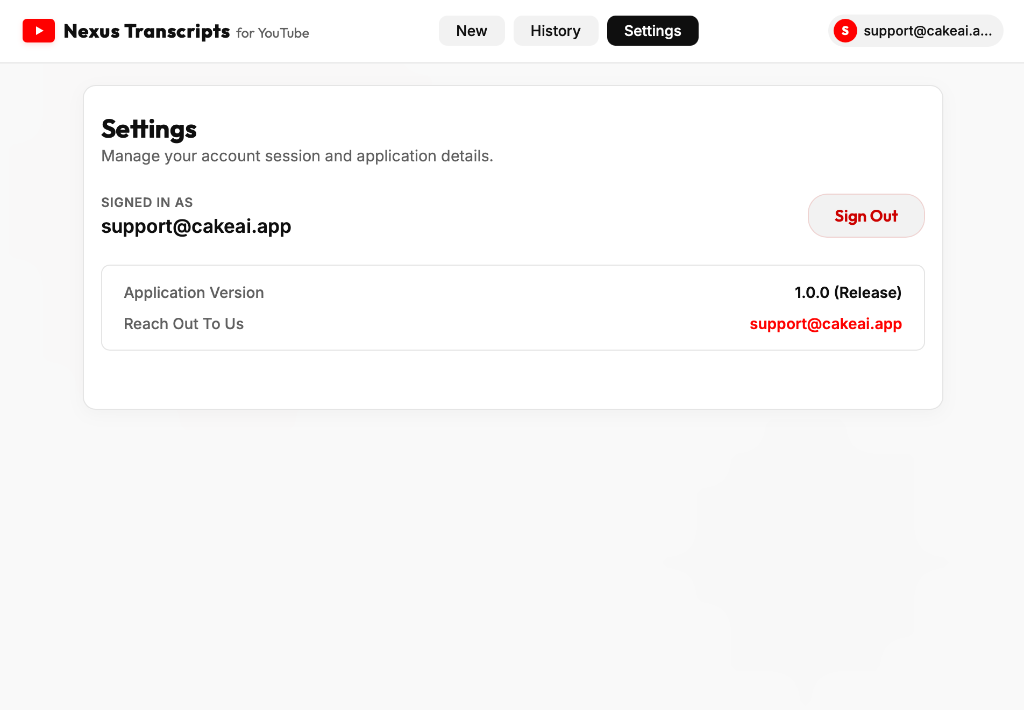
Settings Panel
Nexus Transcripts
Desktop Screenshot